Great mouse super comfortable and this seller delivered quickly with the best price I could find in SG.
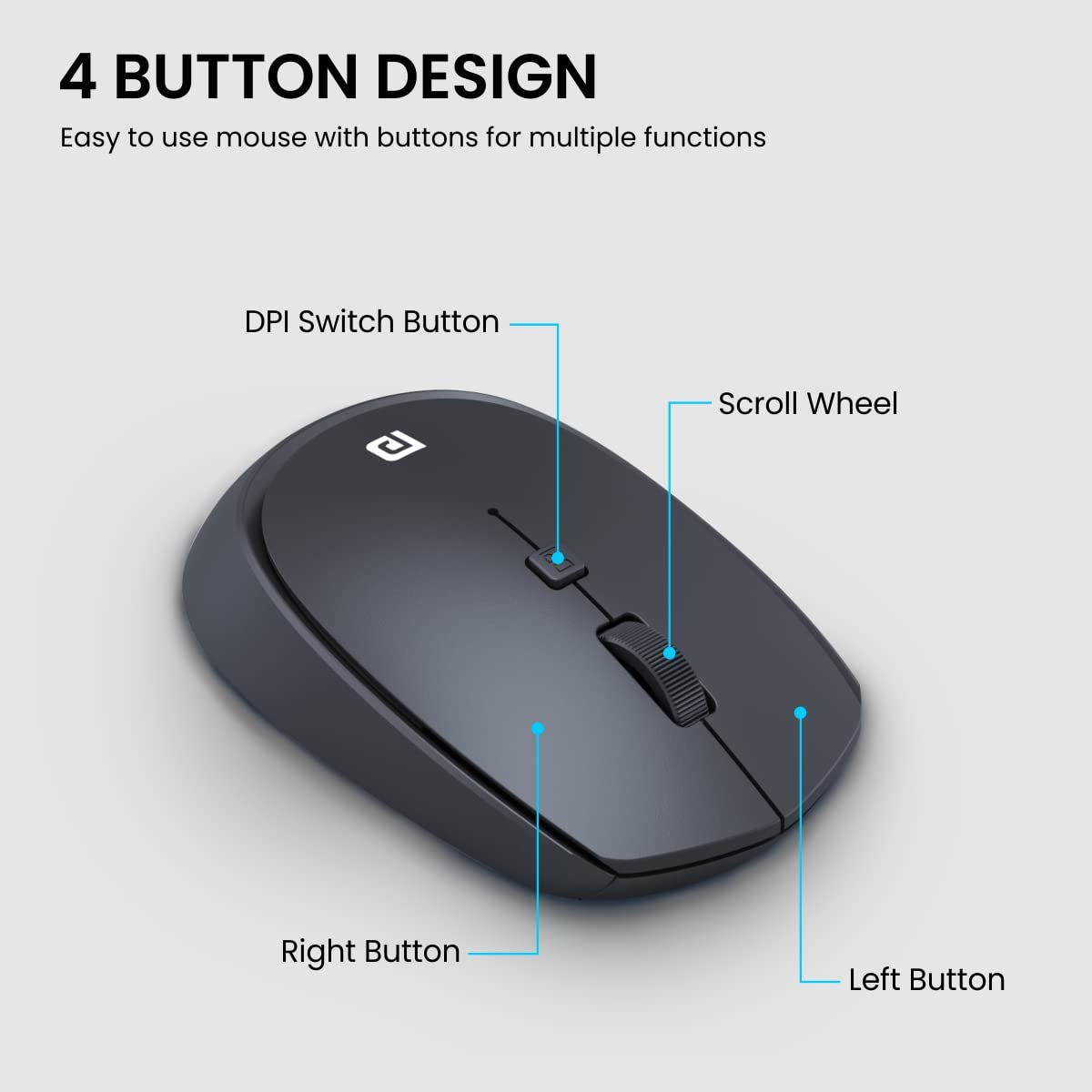
The Logitech MX Master 3S Performance is hands down one of the best investments I’ve made to improve my workflow. After a week of heavy use, I couldn’t be happier with it. What makes this mouse amazing: 1. Elegant and functional design: The sleek, ergonomic shape feels great in hand, even after long hours of work. The side scroll wheel is a game-changer, especially for navigating Excel sheets or working with design tools. 2. Premium materials: The matte black finish looks professional and feels durable. 3. Easy and versatile connectivity: Setting it up on Windows via Bluetooth was incredibly simple. You can also use the USB receiver or plug it in with the charging cable for added convenience. 4. Long-lasting battery life: I’ve used it intensively for Excel, PowerPoint, and drawing in Photopea, and the battery still feels like it’s brand new. 5. Perfect weight: It’s just the right weight—stable enough for precision but not too heavy to hinder movement. Room for improvement: So far, I haven’t found any downsides. However, it would be great to explore its compatibility with other operating systems in the future. Overall, this mouse is a must-have for anyone seeking precision, comfort, and top-notch functionality in their daily tasks. Highly recommended!
There were many reviews that highly recommended this mouse for its ergonomics and it didn't disappoint. I've been using this mouse for a few months now and so far i have no issues. The clicks are quieter than the previous version. Also, connectivity was a breeze on MacBook. Battery life is great too. It comes with a USB receiver included in the box but I've never had to use it because the Bluetooth connection is just as good. Overall, this is an excellent product that I would highly recommend especially if you're not put off by the price.
The Logitech MX Master 3S Performance is hands down one of the best investments I’ve made to improve my workflow. After a week of heavy use, I couldn’t be happier with it. What makes this mouse amazing: 1. Elegant and functional design: The sleek, ergonomic shape feels great in hand, even after long hours of work. The side scroll wheel is a game-changer, especially for navigating Excel sheets or working with design tools. 2. Premium materials: The matte black finish looks professional and feels durable. 3. Easy and versatile connectivity: Setting it up on Windows via Bluetooth was incredibly simple. You can also use the USB receiver or plug it in with the charging cable for added convenience. 4. Long-lasting battery life: I’ve used it intensively for Excel, PowerPoint, and drawing in Photopea, and the battery still feels like it’s brand new. 5. Perfect weight: It’s just the right weight—stable enough for precision but not too heavy to hinder movement. Room for improvement: So far, I haven’t found any downsides. However, it would be great to explore its compatibility with other operating systems in the future. Overall, this mouse is a must-have for anyone seeking precision, comfort, and top-notch functionality in their daily tasks. Highly recommended!
The Logitech MX Master 3S Performance is hands down one of the best investments I’ve made to improve my workflow. After a week of heavy use, I couldn’t be happier with it. What makes this mouse amazing: 1. Elegant and functional design: The sleek, ergonomic shape feels great in hand, even after long hours of work. The side scroll wheel is a game-changer, especially for navigating Excel sheets or working with design tools. 2. Premium materials: The matte black finish looks professional and feels durable. 3. Easy and versatile connectivity: Setting it up on Windows via Bluetooth was incredibly simple. You can also use the USB receiver or plug it in with the charging cable for added convenience. 4. Long-lasting battery life: I’ve used it intensively for Excel, PowerPoint, and drawing in Photopea, and the battery still feels like it’s brand new. 5. Perfect weight: It’s just the right weight—stable enough for precision but not too heavy to hinder movement. Room for improvement: So far, I haven’t found any downsides. However, it would be great to explore its compatibility with other operating systems in the future. Overall, this mouse is a must-have for anyone seeking precision, comfort, and top-notch functionality in their daily tasks. Highly recommended!
Great mouse super comfortable and this seller delivered quickly with the best price I could find in SG.
Great mouse super comfortable and this seller delivered quickly with the best price I could find in SG.
Great mouse super comfortable and this seller delivered quickly with the best price I could find in SG.
I have Received an authentic product. Sealed package respectful and safe outside Packing. Fast Delivery less than 48 hours. Really ergonomic and multi options mouse for professional long time work always durable battery life more than 60 days. Many Thanks,
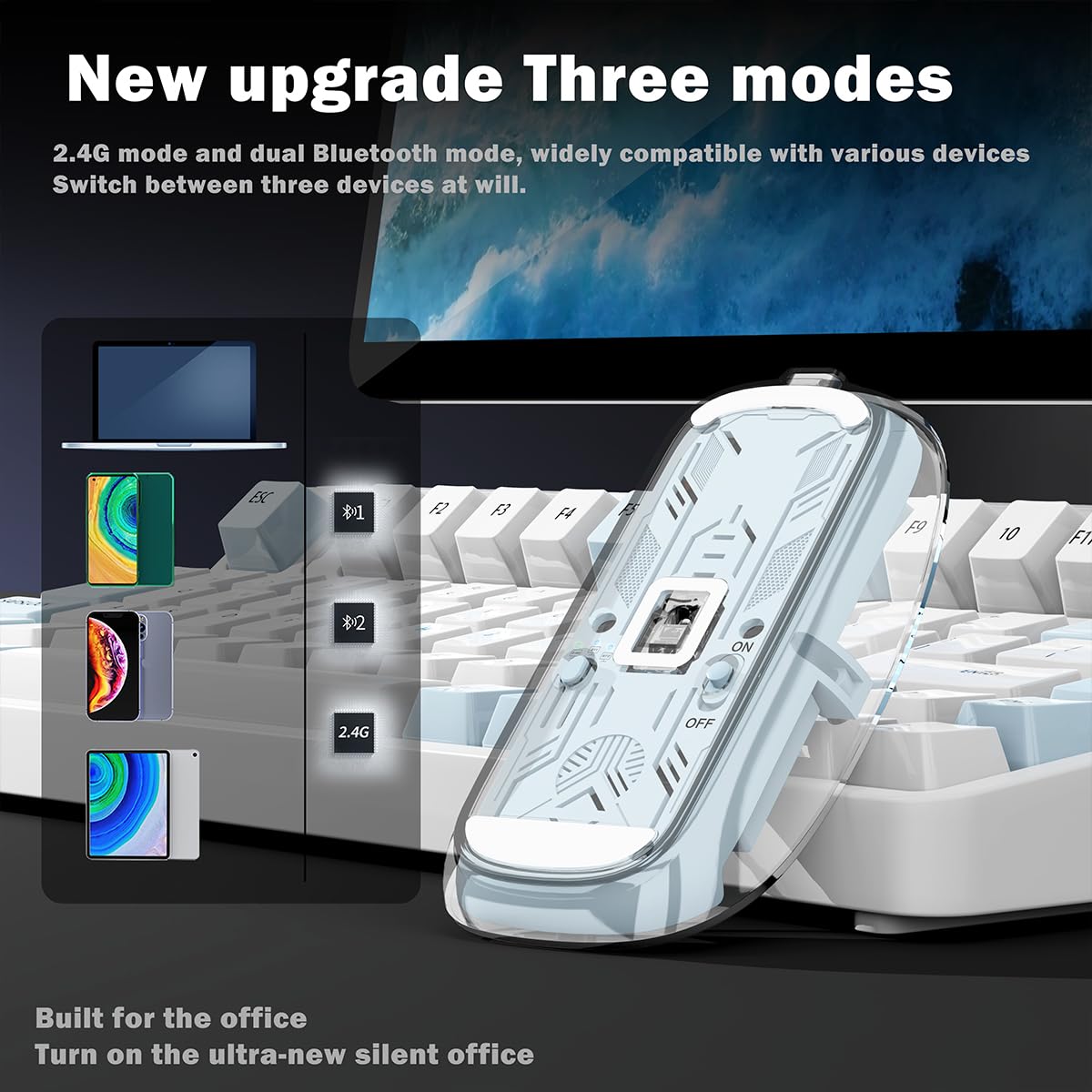
Overall, it's a very good Mouse, But Is it for all? Answer is no. When you hold the mouse for the first time, it's kind of very comfortable. But my hand is an average size. After 2 hours of usage, i felt little bit pain in the palm and kind of uncomfortable. When i switch back to my old mouse, it was kind of very comfortable. But when i switch back to old mouse after 2 hours of usage. it's kind of felt missing something I enjoyed. This is for the peoples with big hands and people who holds the mouse using full palm and will not rest wrist on the table. Let's come to the pros / advantage of this compared to general mouse. 1. Scroll wheel was very smooth (electromagnet). you will fell the scrolling smoothness you enjoyed in the trackpad. 2. Mouse clicks are silent (Not actually silent. But compared to general mouse click sound, its almost 80+% silent. 3. Cursor movement is so smooth 4. Vertical scrolling wheel. It will be very useful when browsing and navigating between tabs frequently. 5. A lot of customization with the Logitech options + software (I guess the money we are paying for this hardware is not only for hardware, but also for the software). 6. Type C charging 7. Can be used with Bluetooth and provided bolt adapter 8. Easy switching between devices using the device switch button underneath. It's kind of immediate switch within seconds after press the switch button. I tried between my Mac and Windows. Works great. 9. With the option flow in Logitech options, mouse can be easily navigated between devices that are paired (max up to 3). It will move between devices like another monitor on the same device. I tried between my Mac and Windows. It's not seamless switching. Kind of little bit delay or laggy when moving to another device. But it works and kind of good for using between multiple devices at the same time with single keyboard and mouse. 10. If you have Mx keys keyboard, you can pair keyboard and mouse. When switching between devices, keyboard will follow the mouse (Like when mouse moves from one device to another through flow option, Keyboard will automatically switch to the same device where mouse is actively connected (instead of using button to manually switch between devices) Cons 1. This mouse is not for everyone. Person with big hands enjoy the mouse. 2. If you are planning to use the mouse, but not the software (Logitech options+), then this mouse is not value for money. 3. Persons with small hands can try Mx anywhere 3. Its normal mouse with few customizable button and electromagnetic scrolling. But that is not a silent click like this. Compared to this mouse, it's just a 2k less, with less functions and not so silent, but will work with Logitech options+. So, in my point of view, it's not value for money, But no other choice as per my opinion.
The Logitech MX Master 3S Performance is hands down one of the best investments I’ve made to improve my workflow. After a week of heavy use, I couldn’t be happier with it. What makes this mouse amazing: 1. Elegant and functional design: The sleek, ergonomic shape feels great in hand, even after long hours of work. The side scroll wheel is a game-changer, especially for navigating Excel sheets or working with design tools. 2. Premium materials: The matte black finish looks professional and feels durable. 3. Easy and versatile connectivity: Setting it up on Windows via Bluetooth was incredibly simple. You can also use the USB receiver or plug it in with the charging cable for added convenience. 4. Long-lasting battery life: I’ve used it intensively for Excel, PowerPoint, and drawing in Photopea, and the battery still feels like it’s brand new. 5. Perfect weight: It’s just the right weight—stable enough for precision but not too heavy to hinder movement. Room for improvement: So far, I haven’t found any downsides. However, it would be great to explore its compatibility with other operating systems in the future. Overall, this mouse is a must-have for anyone seeking precision, comfort, and top-notch functionality in their daily tasks. Highly recommended!
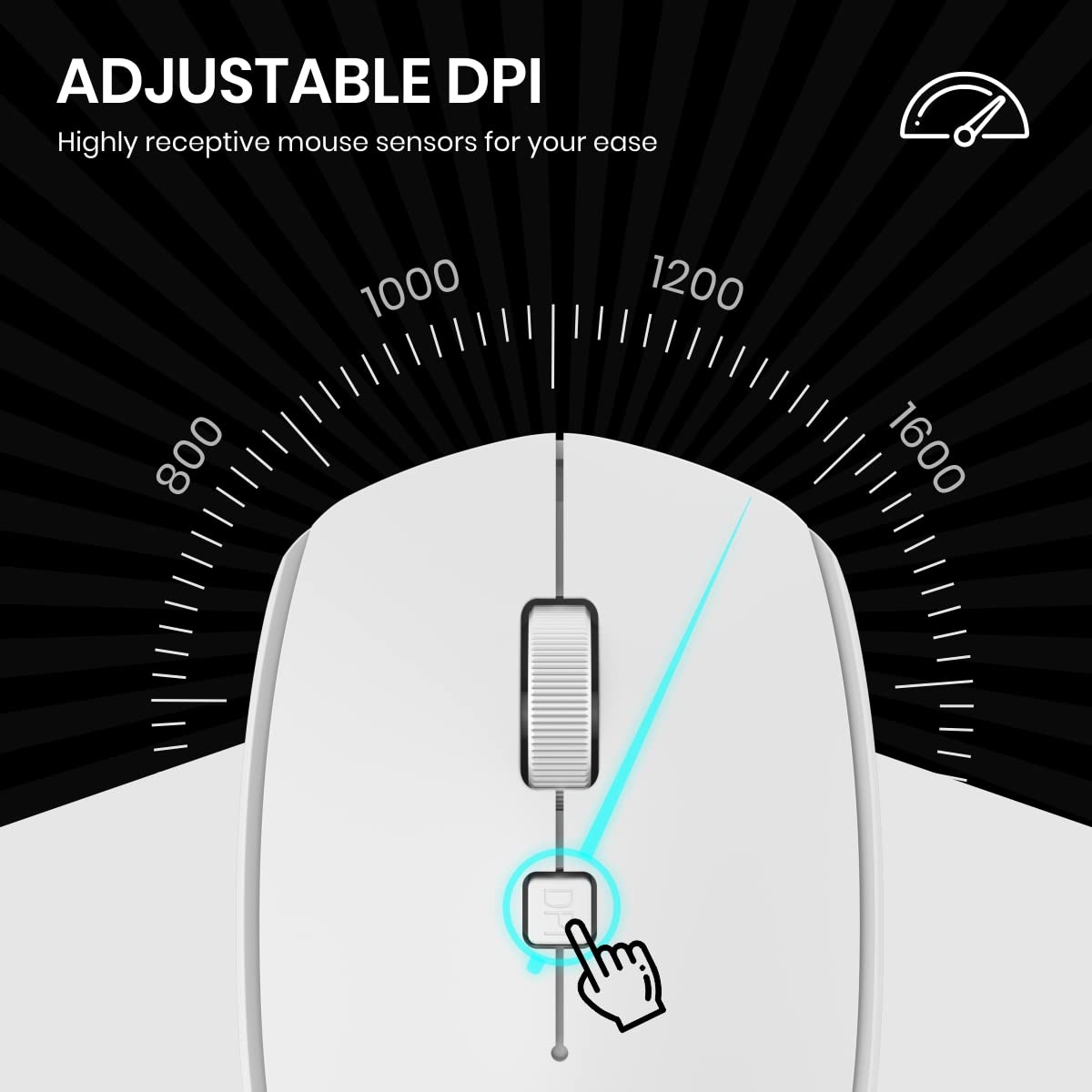
've been using the Logitech MX Master 3s for a while now, and I'm thoroughly impressed with its performance and features. This mouse is an absolute game-changer for anyone who values productivity and precision. From the moment I started using the MX Master 3s, it was clear that Logitech had invested a lot of thought into its design. The ergonomic shape fits my hand perfectly, making long work sessions comfortable and strain-free. The customizable buttons are conveniently placed and easily programmable, allowing me to tailor the mouse to my specific workflow needs. One of the standout features of this mouse is the MagSpeed scroll wheel. The scrolling experience is buttery smooth and incredibly precise, whether I'm quickly navigating through lengthy documents or finely adjusting a photo in editing software. The switch between ratchet and hyper-fast scrolling modes is a small but ingenious detail that has become indispensable in my daily tasks. Connectivity is seamless thanks to the multiple device pairing capability. I can effortlessly switch between my desktop and laptop with the press of a button, streamlining my multitasking efforts. The battery life is also remarkable; I can go for weeks without needing to recharge, and the USB-C charging port ensures fast and reliable power top-ups. The performance on various surfaces is outstanding. The Darkfield sensor technology allows the mouse to track flawlessly on practically any surface, even glass. This has eliminated the need for a mousepad and expanded the possibilities for where I can use my mouse. In terms of build quality, the MX Master 3s feels premium and sturdy. The materials used are of high quality, and the attention to detail is evident. It's a mouse that feels like it will last for years. In conclusion, the Logitech MX Master 3s is a top-tier mouse that has significantly enhanced my computing experience. Its ergonomic design, customizable features, exceptional scroll wheel, and versatile connectivity options make it an essential tool for professionals and enthusiasts alike. If you're looking to elevate your productivity and precision, I wholeheartedly recommend the MX Master 3s. Pros: Ergonomic design for comfortable extended use Customizable buttons and profiles MagSpeed scroll wheel is a game-changer Seamless multi-device connectivity Impressive battery life and fast charging Exceptional tracking on various surfaces Cons: No onboard memory. This should be given.
I have Received an authentic product. Sealed package respectful and safe outside Packing. Fast Delivery less than 48 hours. Really ergonomic and multi options mouse for professional long time work always durable battery life more than 60 days. Many Thanks,
Overall, it's a very good Mouse, But Is it for all? Answer is no. When you hold the mouse for the first time, it's kind of very comfortable. But my hand is an average size. After 2 hours of usage, i felt little bit pain in the palm and kind of uncomfortable. When i switch back to my old mouse, it was kind of very comfortable. But when i switch back to old mouse after 2 hours of usage. it's kind of felt missing something I enjoyed. This is for the peoples with big hands and people who holds the mouse using full palm and will not rest wrist on the table. Let's come to the pros / advantage of this compared to general mouse. 1. Scroll wheel was very smooth (electromagnet). you will fell the scrolling smoothness you enjoyed in the trackpad. 2. Mouse clicks are silent (Not actually silent. But compared to general mouse click sound, its almost 80+% silent. 3. Cursor movement is so smooth 4. Vertical scrolling wheel. It will be very useful when browsing and navigating between tabs frequently. 5. A lot of customization with the Logitech options + software (I guess the money we are paying for this hardware is not only for hardware, but also for the software). 6. Type C charging 7. Can be used with Bluetooth and provided bolt adapter 8. Easy switching between devices using the device switch button underneath. It's kind of immediate switch within seconds after press the switch button. I tried between my Mac and Windows. Works great. 9. With the option flow in Logitech options, mouse can be easily navigated between devices that are paired (max up to 3). It will move between devices like another monitor on the same device. I tried between my Mac and Windows. It's not seamless switching. Kind of little bit delay or laggy when moving to another device. But it works and kind of good for using between multiple devices at the same time with single keyboard and mouse. 10. If you have Mx keys keyboard, you can pair keyboard and mouse. When switching between devices, keyboard will follow the mouse (Like when mouse moves from one device to another through flow option, Keyboard will automatically switch to the same device where mouse is actively connected (instead of using button to manually switch between devices) Cons 1. This mouse is not for everyone. Person with big hands enjoy the mouse. 2. If you are planning to use the mouse, but not the software (Logitech options+), then this mouse is not value for money. 3. Persons with small hands can try Mx anywhere 3. Its normal mouse with few customizable button and electromagnetic scrolling. But that is not a silent click like this. Compared to this mouse, it's just a 2k less, with less functions and not so silent, but will work with Logitech options+. So, in my point of view, it's not value for money, But no other choice as per my opinion.
Excepcional, sin duda ya hay muchos comentarios de buenas reseñas, pero dare mi opinion personal. Estaba un poco escéptico con el ratón, después de ver varios videos reviews, me anime por el ratón. Lo primero que notas cuando lo destapas es la calidad de materiales, una vez que lo usas, la ergonomía es muy buena, nunca había tenido este tipo de ratón, he pasado desde los clásicos de cable, hasta el de la manzana, por una infinidad de ratones y sin duda si me preguntan, con cual repetiría compra, seria con este de Logi. Una vez que lo personalizas a tus gustos, quedas completamente satisfecho con la compra, ya que puedes hacer infinidad de configuraciones según el programa en el que te encuentres o dejarlo con una general para todas las aplicaciones. Otro punto a favor es el scroll, yo me dedico a trabajar 40 horas a la semana usando una computadora, mi trabajo es del area de TI, por lo que el scroll en revisión de datos y largas filas de datos es una chulada navegar en ellos con el scroll, trae 2 modos para usarlo, para la navegación Web trae la opción para que el desplazamiento sea suave, siempre le batallaba con otros ratones con el scroll no era lo que yo esperaba, este si es lo que realmente necesitaba, esperemos que sea duradero y sigua funcionando el scroll como el primer día con el paso de los meses. El Scroll lateral lo configure para subir y bajar volumen, una chulada! El ratón no es perfecto, pero se aproxima, para mi punto de vista con 3 ajustes seria la perfección: 1-Cambiar el tipo de material blando, ese material con el paso del tiempo no envejece bien o se mancha o se hace pegajoso, 2- las partes del alrededor que son color plata deberán ser de aluminio(por el precio que se paga debería tenerlo) tal como si lo son los 2 scroll que tiene, 3- los botones laterales deberían ser más en dirección hacia el frente para que queden en la punta del pulgar y sea más natural el presionarlos con el mismo pulgar. Elegí el color blanco, aunque sé que se va poner feo con el tiempo fue el color que más me agrado. Espero equivocarme y dure el plástico sin manchas. Ya que negro es el mouse de toda la vida... algo aburrido, pero este último punto es mi opinion personal y es algo subjetivo. Otra ventaja es que trae batería recargable de litio e incluye el cable de carga usb-c. En definitiva, si en un año sacan una evolución de este Raton o una variante más atrevida de color como un azul o un rojo, sin duda lo compraba. Soy usuario de windows, aunque no lo compre en oferta estoy satisfecho con la compra.
This is a review written after just a few hours of use on day 1 (might update it later) The mouse seems to be well built. The ergonomic design ensures a smooth transition and is easy to connect and use. The delivery was fast and got the product in just 1 day. The click quality seems to be really great, I love the silence of the click (looks professional) I have large hands, and its pretty good size for my hand. I don't know about the battery life yet. as I just received the product and its just my first impression and review based on my initial few hours of use, but their was 70% battery when I received the product Customisation option are really great, and I have customised it to use all the trackpad gestures with the mouse, so that I don't feel missing my mac book trackpad. Cons: No much cons so far, but if a mouse hard cover was included for easy transportation, that would have been nice. - For my hand size, the grip could have been better as I accidentally clicks when I tighten my grip. (my hands are big btw and not a con for most of the people) Overall Loved the product, and I'm loving this purchase.
Great mouse super comfortable and this seller delivered quickly with the best price I could find in SG.
Its a bit expensive mouse. But it is very good quality best in its class. Have been using since feb 2024 not charged a single time. It has a type C charging port. It works on any serface even on glass. It can connect to three devices. There is a switch given to switch between devices. You can connect using bluetooth or the wireless dongle. I have connected to my laptop, my cctv dvr and my Sony google smart TV. Works on all 3 flowlessly. If you work a lot on spreadsheets, this mouse has a wheel for both horizontal and vertical movement. There is a forward and backword key for web browser. Mouse movement is very high resolution you can work on photo editing etc where very precise movement is required. The scroll wheel has a switch by which you can set to move one line at a time or high speed scrolling. High speed scrolling i have never seen in any other mouse like this one. Shape is very nice, your hand is always in a relaxed posture will not feel any stress in long hours of holding this mouse. Overall its a great buy worth the price.
is what is says on the tin